.png?width=100&height=75&name=Horizontal%20Logo%20(1).png)
- To begin, access the lead or client list by selecting "Leads" or "Clients" from the left sidebar.
- Navigate to the desired lead or client and select their profile.
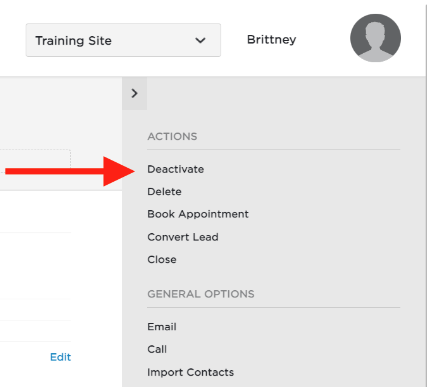
- In the "Actions" column on the right, choose the option for "Deactivate"
- Confirm that you want to deactivate the profile
When a client or lead profile is deactivated, they will be classified as a non-marketing contact and will no longer receive any future marketing communications. This feature is intended for individuals who do not wish to be contacted.